

Nahash5150
-
Posts
8,043 -
Joined
-
Last visited
-
Days Won
389
Content Type
Forums
Events
Articles
Downloads
Gallery
Store
Everything posted by Nahash5150
-
Thank Mark - I was concerned about the delivery/spin in this film, so I guess I will take some time to see it now.
-
Hello @GarciaFan! Welcome back. Posting pictures is easy. You can Drag and Drop files into the attachment area (arrow) or click on 'choose file' to view your device's files for pics to upload. If you click on 'Insert other media' to the right you will get a menu of options to attach an existing pic you've already uploaded before, insert a pic from URL (that is, it will embed a picture posted somewhere else on the web) or go to LunaEditor website to upload a pic you would like to edit (after you edit your pic, you save it to your device then upload it using the above instructions). Whenever you upload pics, you can always access them to repost elsewhere on the site if you wish. If you click on your username in the upper right, go to 'My Attachments' and you can always see files and pics you've uploaded, and even delete ones you no longer want to use (if you delete a pic from your uploads, they are removed from the server, and disappear where ever they are posted).

-
 I show Morjet tried logging in 4 hours ago, though, apparently he forgot his password and was locked out.
 -
I think it was called 'Member Systems' and if Rich Featured it, then you got the medal. It is now Featured Systems and if I like your system, you get a medal. If I don't, you get banned. So choose your pics wisely.
-
They are the same thing?
-
Yes?
-
You will notice there is now a feed for the most recent Featured Topics. These are topics of special interest from various categories chosen by the moderators. Enjoy!
- 1 reply
-
- 13
-

-

-
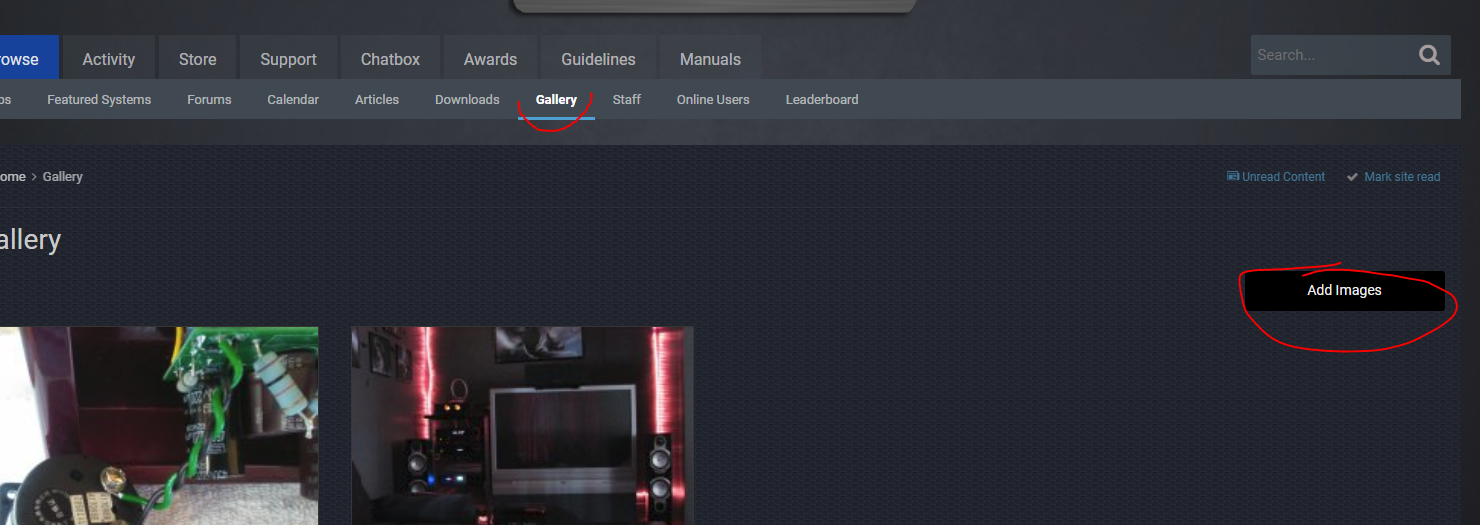
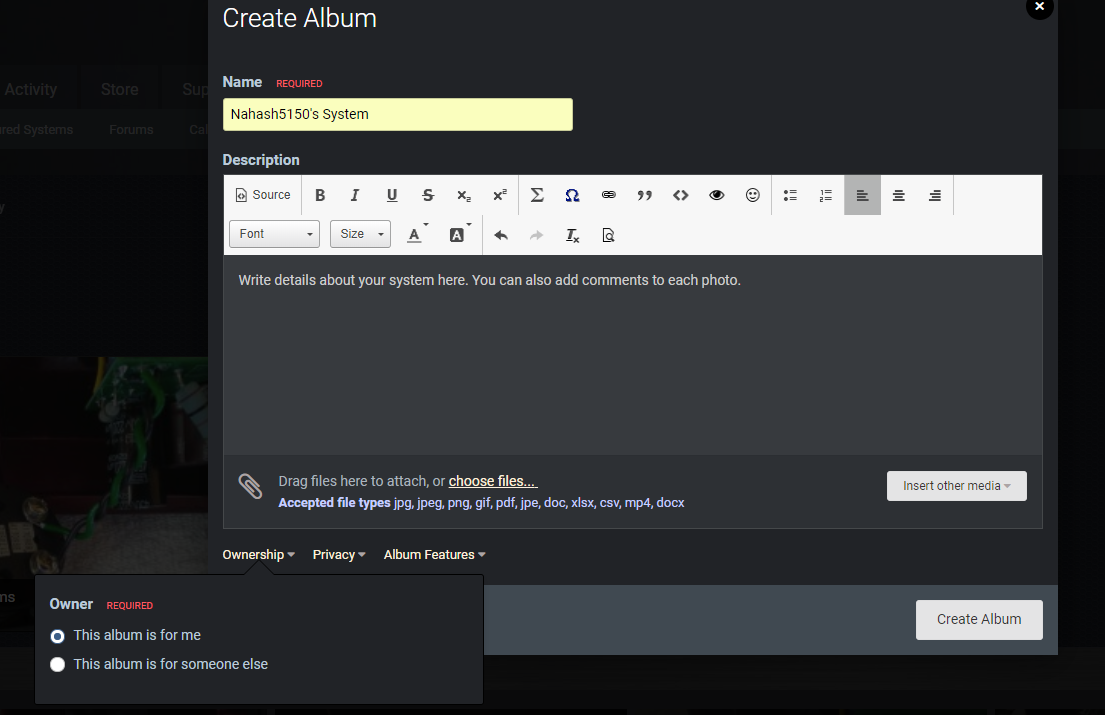
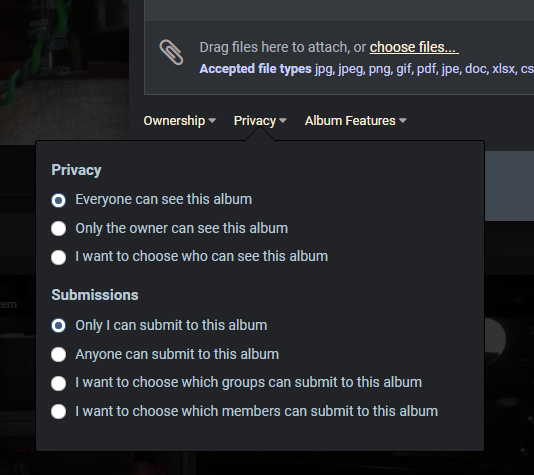
To add pictures of your system, first go to the GALLERY, then click on the 'add images' button. Select FEATURED SYSTEMS. If you do not select this category, your album won't show up in the Featured Systems feed and I won't know you've added one! Don't be a boob. Follow directions. Create a New Album. IF you are adding more pics to an existing Featured System album, then of course choose Existing Album: In this area, please name your system YOUR USER NAME'S SYSTEM. Failure to do this will make me frustrated because you didn't FOLLOW DIRECTIONS! Add the name and write stuff, if you choose. Toward the bottom are additional features for your album. Please make this for yourself... Make it public...and ensure only you can add pictures... Choose the sort order, or if you would like to allow comments. This is the default. Click Create Album. Either click and drag pictures from your PC to the space with the the '+' sign, or click on the area and you can choose files from your computer or phone. You may get a notice that it needs to be approved. Please don't get offended. This is how I can track who adds an album so they can receive their medal. Please let me know if you have any questions. Have fun!




-
 It's an OLD picture, but captures the listening area.
 -
From the album: Nahash5150's System
-

From the album: Nahash5150's System
-
Fair enough!
-
Keep in mind Jen is a girl...she doesn't turn it up to 11 like y'all.
-
-
Version 1.0.11
190 downloads
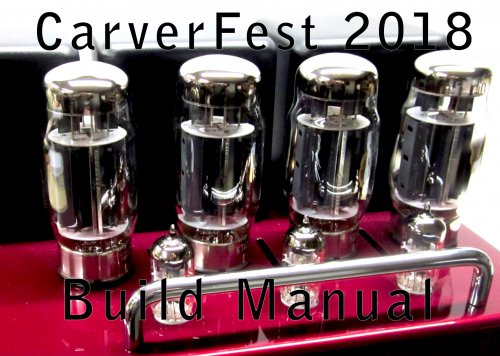
This manual is 'unofficial' because the majority of it comes from the members here, and not from Bob Carver himself. Although Bob has been consulted on many aspects, it is still a collective project of us amateurs. Special thanks to @wrf, @BarryG, @Packratt , @RobertR, @The Raven, @kve777, @BrianT and others for making recommendations and finding mistakes. Cover Photo by madmike46. -
Hello From Gilbert Arizona!
Nahash5150 replied to carverfan's topic in The Welcome Shop (Please read first)
Welcome @carverfan! Lots of resources here for you, and many great people to know. Thank you for joining! Please let me know if you ever have any questions or problems. Hashy -
@The Raven
-
-
@halfbaked It's been a busy fest with the build. I'm sure you'll hear more about it in the coming weeks! @Eddie Welcome back my friend. Thanks for all your help during the amp build stuff. You saved our lives!
-
Hello! New to the Carver Site.
Nahash5150 replied to nwlaznik's topic in The Welcome Shop (Please read first)
Welcome @nwlaznik ! We're happy to meet you. If you ever have any questions or just want chat, feel free my friend. Check out the Website Support forum for tips on using the features of the site. -
From the album: CF 2018 Technical
-
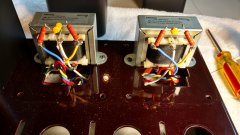
From the album: CF 2018 Technical
-
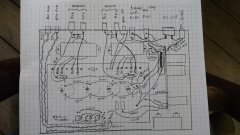
From the album: CF 2018 Technical
-

From the album: CF 2018 Technical